The crucial first step in determining your company’s scalability potential, data transmission speeds, and connectivity dependability is installing network cabling. With more than 20,000 installations and a 99% customer satisfaction rate, expert cabling installation services guarantee that your infrastructure can support both present and future demands. The necessary procedures, industry best practices, typical pitfalls, and safety considerations for Cabling Installation projects are all covered in this extensive guide.
From Start to Finish: Planning Network Cabling Installation
For the cabling installation to go smoothly, planning is crucial. Ring and Ping Communications makes sure your project works as well as it can, conforms with all rules, and avoids problems later. This strategy enhances your network, safeguards your technology investment, and makes it simple to expand your business.
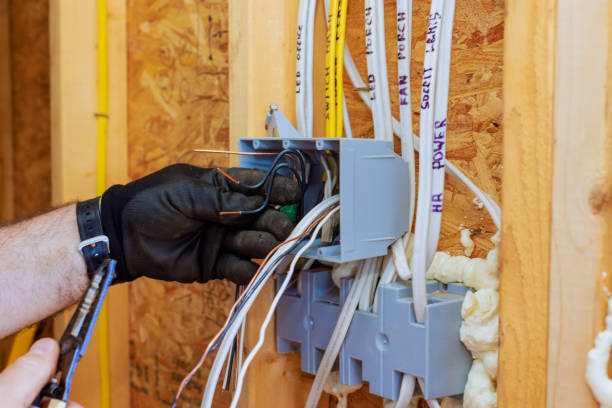
Here’s the step-by-step guide for planning a successful network cabling installation:
Servers, modems, switches, and firewalls are examples of critical network equipment that require a specific, secure environment for optimal performance. The ideal location is a dedicated, climate-controlled server or network room with proper ventilation, restricted access, stable power supply, and organized cabling installation to ensure reliability and security.
Your network’s performance and efficiency are determined by the strategic placement of its nodes. Must consider these factors:
Accurate measurements ensure all industry distance standards are met during Cabling Installation, which helps to reduce material waste and save on costs.
Reliability and longevity of networks are directly impacted by high-quality hardware. Important network elements consist of:
| Hardware for Connection | Cabling Installation Tools |
| Wall plates and data plugs | Punch-down instrument for safe wire cutting |
| Connectors for cables and patch panels | Expert RJ45 connection crimping tool |
| Tools for installing cable management systems and network switches | Cable testers for troubleshooting and verification |
It is very important to ensure safety first, so before starting any electrical wiring or cabling installation work, always turn off the power at the breaker. Strategic planning is necessary for wall plate placement to ensure both functionality and compliance with safety standards.

To make neat, appropriately sized openings that preserve structural integrity, use precision cutting tools.
Careful execution is required during this phase of cabling installation to avoid damage that degrades performance. Use these special techniques to connect the network cable to the infrastructure for optimal reliability and efficiency.
| Special Considerations! |
| Older structures might need more preparation for access. |
| Careful cutting methods are required for solid walls. |
| Choosing network cables that are fire-rated for particular building areas |
A thorough analysis of network performance is essential. Long-term dependability and warranty claims are supported by extensive testing during cabling installation that confirms connection continuity, examines cable terminations, validates bandwidth and signal quality, and uses specialized equipment to ensure documentation compliance.
Configuring and optimizing your network after cabling installation guarantees secure and smooth operation. With a focus on performance, security, monitoring, and documentation, this step transforms installed hardware into a working network.

Conclusion
A good network cabling setup is key to an IT system that’s reliable and can grow with you, delivering solid performance. Stick to these cabling installation planning and setup steps so your company stays connected without interruption, securely, and ready for what’s next. Plan well, use good parts, follow safety rules, and test everything thoroughly. You’ll be protecting what you’ve spent and creating a network that adapts to support your company’s growth and changing tech needs.
FAQs
What kinds of network cables do people usually use?
The most popular cable types for Ethernet are Cat5e, Cat6, and Cat6a. Although they can all manage varying bandwidths and speeds.
How long does it take to install network cables?
It depends on the project. A small office might take a couple of days, but bigger places could take a week or longer.
Is it okay to put network cables next to electrical wires?
Try not to run them next to each other. It can cause interference. Make sure to keep them apart based on local rules.
What factors affect the cost most?
Cable type (Cat6, Cat6a, fiber), number of connection points (“drops”), building layout/access, required conduits or wall penetrations, and labor rates.
What cable types should I use for future-proofing?
Use Cat6 or Cat6a for general use; consider fiber optic for long runs, backbone connections, or very high-bandwidth needs.